
Thursday, November 10, 2011


Wednesday, November 09, 2011
New Background and Sun Graphic

I think the combination of new Sun and stars background make the game feel a lot brighter.
Monday, November 07, 2011
Alpha II Base, New Lighting
I got several comments about the lighting being too harsh, so I revamped the lighting algorithm. I also used the opportunity to build a second Alpha Site to replace the old one. Here is the Alpha II Base.
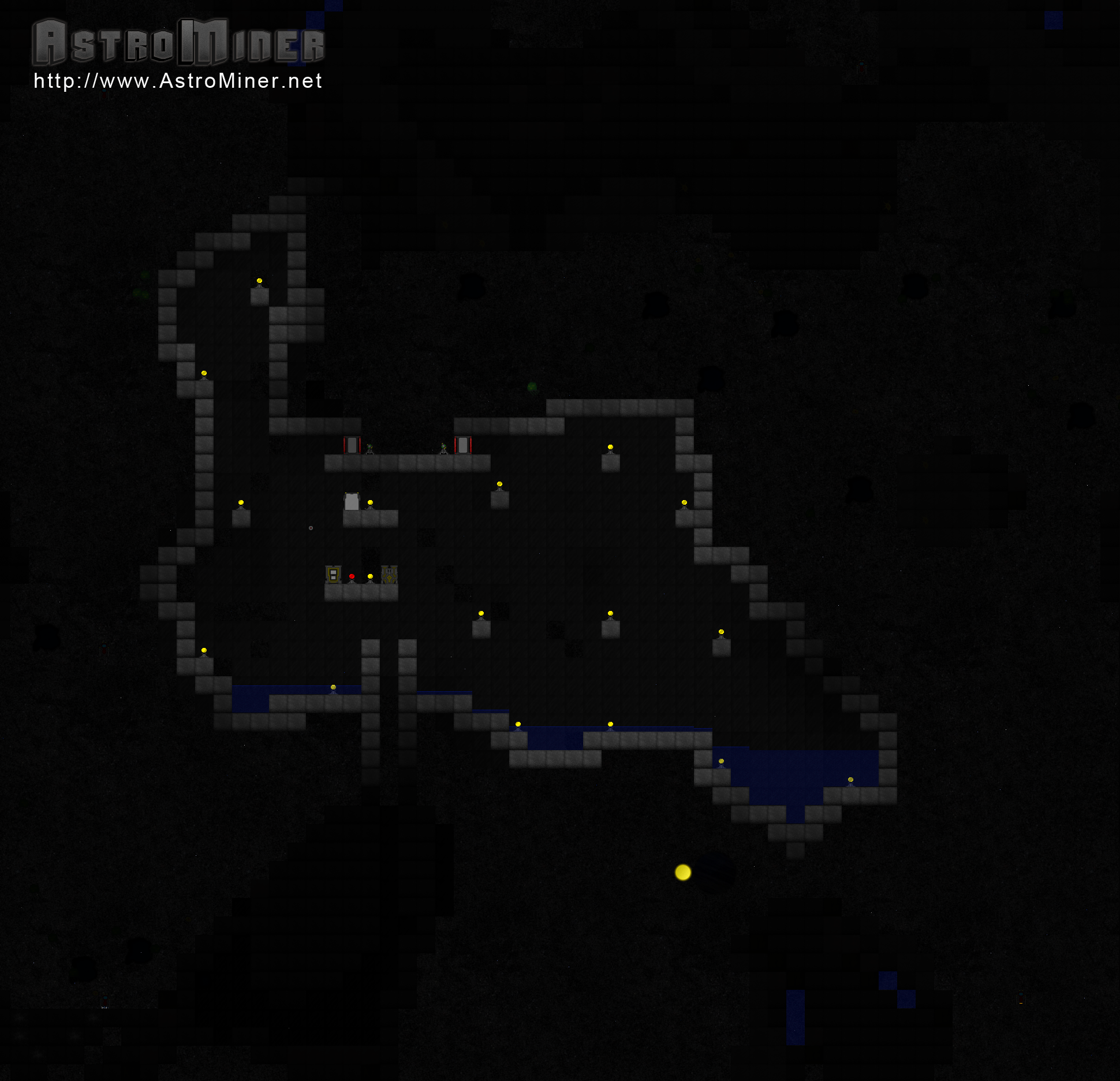 |
| Click for a huge version. |
Busy but fun coding night :]
Sunday, November 06, 2011
The Alpha Base has been lost :[
I jinxed myself.
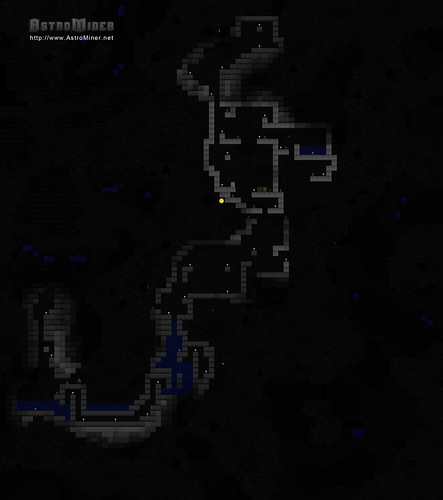
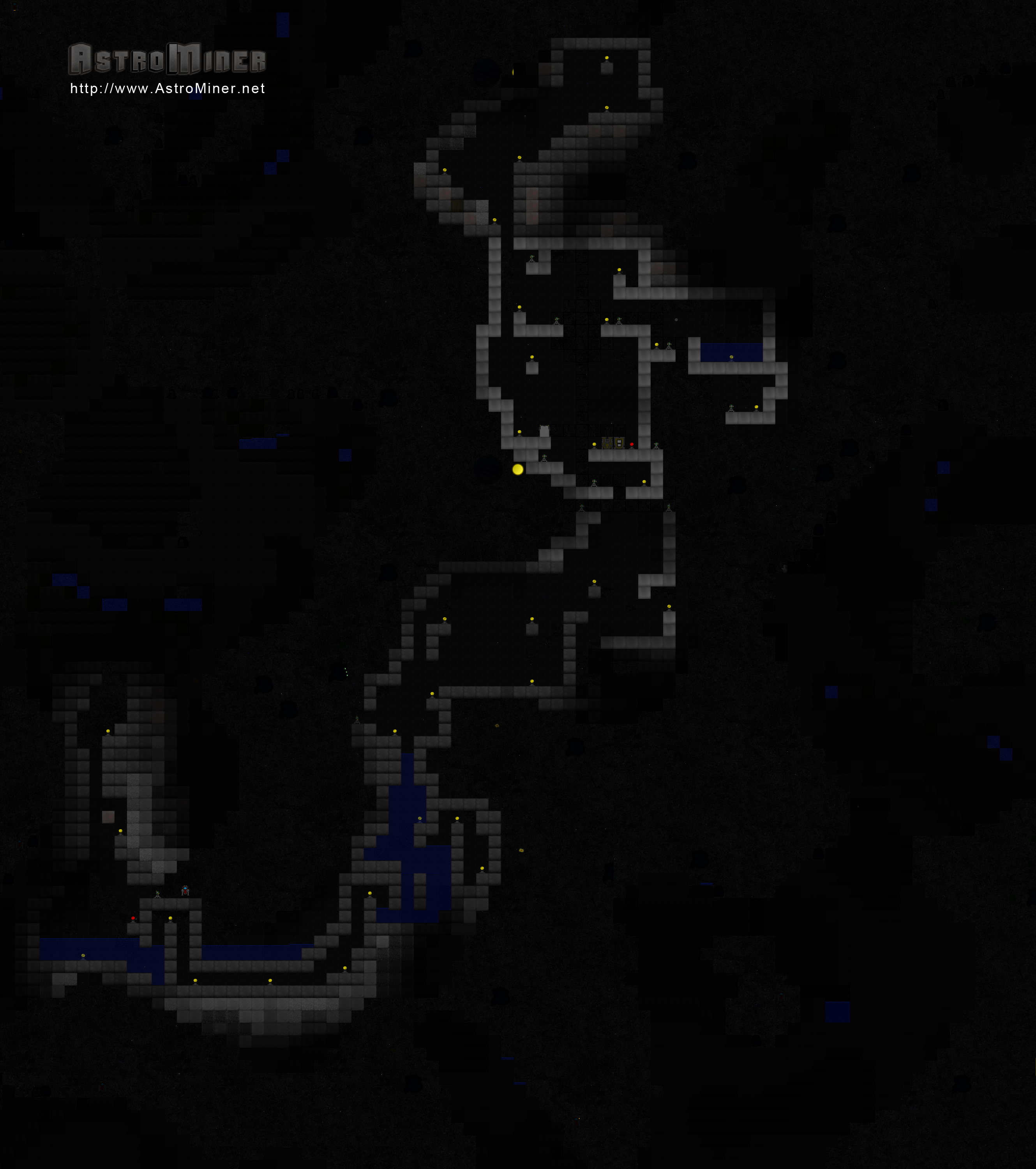
Earlier today when I was testing some stuff, I accidentally corrupted my world file. The Alpha Base has been lost :[ All hope is not lost though. I have started working on Alpha II and I hope to complete it by the end of the week. That being said, here is the last known shot of Alpha Base. This was taken right after I updated the lighting in the game.
I released a new build to the testers tonight. If nothing major comes up, I'm going to be releasing a build on the tigsource forums later this week.
Earlier today when I was testing some stuff, I accidentally corrupted my world file. The Alpha Base has been lost :[ All hope is not lost though. I have started working on Alpha II and I hope to complete it by the end of the week. That being said, here is the last known shot of Alpha Base. This was taken right after I updated the lighting in the game.
I released a new build to the testers tonight. If nothing major comes up, I'm going to be releasing a build on the tigsource forums later this week.
Saturday, November 05, 2011
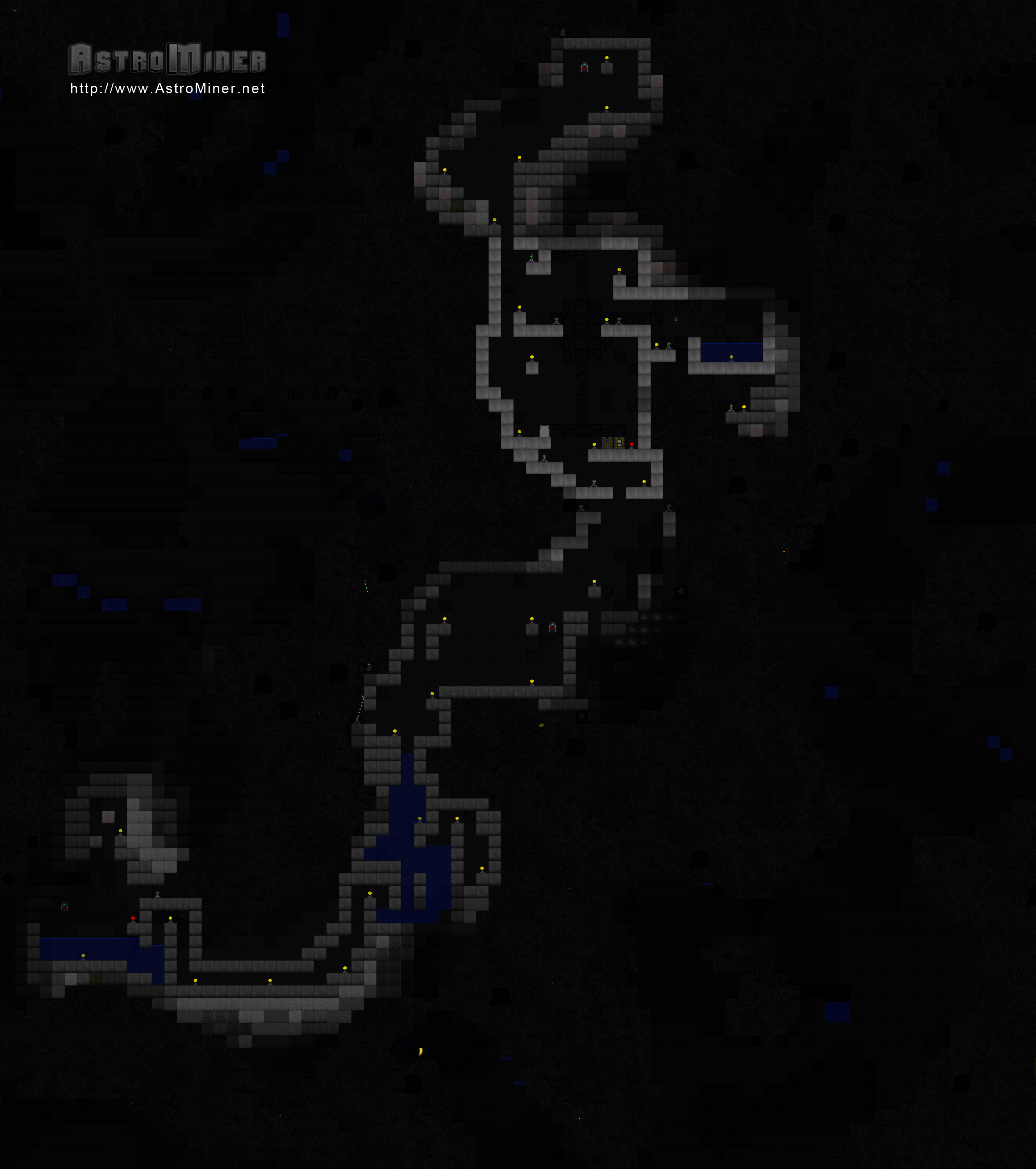
2659x3000 Image of My Alpha Base
This thing is almost 4 megs large, so here's a link to it. Down below is a smaller thumbnail.

I need to stop playing and keep working.

I need to stop playing and keep working.
Steel
 |
| I need to make it so steel + water = rust, too. |
Here's the forging formula:

It's the strongest object in the game currently.
Also, here's the forging formula for glass. It's pretty straight forward.

Forge and Glass
I spent tonight working on the Forge. The Forge will let you 'cook' items. It is pretty much the same thing that the furnace in Minecraft is.
You interact with the Forge the same way that you do with the Chest. When you land on top and open your inventory, a Forge window will pop up.
For the first forging recipe, I created Glass. Glass is easy to make. It takes 1 Sand block to get 4 Glass block. Glass is placed 'behind' objects. This means the player and other creatures can move in front of it. It's a decorative piece and nothing more.

Adding those two things swayed me way off my roadmap. A lot of my next updates involve sound, so I'm going to focus on that for now. I've been adding a lot of placeholder sound until I can find/afford a sound person. I figure that as long as I get the code done, I can consider it done on my end and move forward.
Testers can expect a build with the forge and glass sometime late Sunday.
If you're interested in testing, go sign up at http://www.astrominer.net/f and post in this thread. I'll send you a link to the latest build. I could use more eyes looking at the game and giving me their opinion.
 |
| The graphic for the Forge isn't completely finished. |
You interact with the Forge the same way that you do with the Chest. When you land on top and open your inventory, a Forge window will pop up.
 |
| I had just finished making some glass and there was left-over fire. |

Adding those two things swayed me way off my roadmap. A lot of my next updates involve sound, so I'm going to focus on that for now. I've been adding a lot of placeholder sound until I can find/afford a sound person. I figure that as long as I get the code done, I can consider it done on my end and move forward.
Testers can expect a build with the forge and glass sometime late Sunday.
If you're interested in testing, go sign up at http://www.astrominer.net/f and post in this thread. I'll send you a link to the latest build. I could use more eyes looking at the game and giving me their opinion.
Thursday, November 03, 2011
MonoGame -vs- XNA Comparison
I was toying around with switching to MonoGame earlier tonight.
First off, the transition was very simple. I downloaded MonoDevelop, OpenTK and the MonoGame source. I compiled MonoGame using MonoDevelop and got a dll out of it. I then deleted all of my XNA references from AstroMiner and added a reference to the MonoGame .dll.
After trying an AstroMiner build, I noticed a couple of differences. Texture2d.FromStream is now Texture2d.FromFile. render.SaveAsPng (for taking screenshots) is no longer available. Out of everything I do, that's it. Can't really complain.
After running the game, I noticed that the first thing that was off was the window size - it was smaller. It also didn't have the proper title or icon. No problem. The game wasn't using a FixedTimeStep anymore, but that's also probably a small fix. When I went to fullscreen, I noticed that the drawing dimensions didn't adjust. First thing that problem tells me is that the Window functionalities are different enough to throw my code off. Things like Window.Width, .Height and others. I then noticed that the mouse wasn't working in the game.
Next was trying to play the game. Keyboard controls worked for the most part. Shift, Ctrl and Alt didn't work but all the others did. Mouse still wasn't working.
I would say that 90% of my code worked fine. All the game logic was normal (as was expected since that was vanilla C#). The drawing functions, for the most part, worked. Certain sprites were flying all over the screen, but they were at least displaying in the right spot at some point. It was pretty hectic overall. The crazy thing is whenever I would try and take a screenshot, all would look normal.
The game ran at 59fps average. Using the XNA framework, the same world runs at 350fps average.
So for not having to make any changes to the code (besides replacing FromStream with FromFile), I think it's a really viable solution. I'm going to keep researching to see if I can figure out how to fix the minor issues I had. It'd be nice to not require the XNA libraries and be able to publish to multiple platforms.
First off, the transition was very simple. I downloaded MonoDevelop, OpenTK and the MonoGame source. I compiled MonoGame using MonoDevelop and got a dll out of it. I then deleted all of my XNA references from AstroMiner and added a reference to the MonoGame .dll.
After trying an AstroMiner build, I noticed a couple of differences. Texture2d.FromStream is now Texture2d.FromFile. render.SaveAsPng (for taking screenshots) is no longer available. Out of everything I do, that's it. Can't really complain.
After running the game, I noticed that the first thing that was off was the window size - it was smaller. It also didn't have the proper title or icon. No problem. The game wasn't using a FixedTimeStep anymore, but that's also probably a small fix. When I went to fullscreen, I noticed that the drawing dimensions didn't adjust. First thing that problem tells me is that the Window functionalities are different enough to throw my code off. Things like Window.Width, .Height and others. I then noticed that the mouse wasn't working in the game.
Next was trying to play the game. Keyboard controls worked for the most part. Shift, Ctrl and Alt didn't work but all the others did. Mouse still wasn't working.
I would say that 90% of my code worked fine. All the game logic was normal (as was expected since that was vanilla C#). The drawing functions, for the most part, worked. Certain sprites were flying all over the screen, but they were at least displaying in the right spot at some point. It was pretty hectic overall. The crazy thing is whenever I would try and take a screenshot, all would look normal.
The game ran at 59fps average. Using the XNA framework, the same world runs at 350fps average.
So for not having to make any changes to the code (besides replacing FromStream with FromFile), I think it's a really viable solution. I'm going to keep researching to see if I can figure out how to fix the minor issues I had. It'd be nice to not require the XNA libraries and be able to publish to multiple platforms.
Wednesday, November 02, 2011
New Launcher, Updates on the Future of the Game and Binder Pictures
I've been working on some maintenance stuff in AstroMiner. One of the things that I wanted to do was leave ClickOnce. When I did that, I switched my installer over to WiX. It took a while to learn but I think I got the basics figured out and I have an installer that checks pre-requisites, installs them if needed and installs the game when done.
The nice thing is I have a lot of control over the install now. The one thing I lost, though, was auto-update functionality. I was going to implement this functionality in the game itself until I thought about how the 360 users don't need this at all. All updating will be handled by the 360. In my normal brainstorming technique, I loaded up another game to zone out and that game happened to be Minecraft. I realized that I really like how their launcher is set up. It would let me deliver news to my userbase and give me an easy place to handle updates from.
So I bring to you the new AstroMiner Launcher:

One thing you'll notice about it is that it requires a username and password to launch. That's one thing I haven't talked about much on here: how much the game will cost.
When the game first launches, it will be free. It will still be in Alpha and that will allow me to get a good wide userbase for testing. That free version will have everything that you've seen up to this point and a bunch more features/in-game creatures/structures. Once that's been tested well, I'll release the first version for what I'm thinking is going to be $5.99 USD. The money I get from that will go towards contracting a graphic designer and sound person, as well as maybe another programmer to look at my code and make it better.
It will stay that price until the end of Alpha. That should hopefully only last a few months. In those few months, my goal is to completely finish Terraforming an asteroid. A lot of content will be added to the game and while the free version will have bug fix updates, it will not have content updates anymore. That will be saved for the pay.
Once Terraforming is done, I will consider the game in Beta. At that point the price will go up. Beta will be focused on multiplayer. I have some awesome plans for multiplayer that I don't want to reveal just yet because, primarily, they're not entirely done. Multiplayer + lots of content updates is what beta will be all about. I'm hoping to get to Beta by early next year. I have a huge binder full of notes that I've taken that detail how I want the game to go forward. If I want you to pay for the game, I want you to be sure that you're getting your money's worth. On top of a full roadmap going forward, I also do nightly backups both on-site and off-site to 2 different sites.
In a nutshell, I don't want people to put their faith in me only to have me mess up due to some stupid error. Hopefully by documenting this whole process, you can also see that I'm serious about getting this game done and out to you to play.
So that's what I'll be focusing on this week. Functional and important updates :]
So until next time... ~
The nice thing is I have a lot of control over the install now. The one thing I lost, though, was auto-update functionality. I was going to implement this functionality in the game itself until I thought about how the 360 users don't need this at all. All updating will be handled by the 360. In my normal brainstorming technique, I loaded up another game to zone out and that game happened to be Minecraft. I realized that I really like how their launcher is set up. It would let me deliver news to my userbase and give me an easy place to handle updates from.
So I bring to you the new AstroMiner Launcher:

One thing you'll notice about it is that it requires a username and password to launch. That's one thing I haven't talked about much on here: how much the game will cost.
When the game first launches, it will be free. It will still be in Alpha and that will allow me to get a good wide userbase for testing. That free version will have everything that you've seen up to this point and a bunch more features/in-game creatures/structures. Once that's been tested well, I'll release the first version for what I'm thinking is going to be $5.99 USD. The money I get from that will go towards contracting a graphic designer and sound person, as well as maybe another programmer to look at my code and make it better.
It will stay that price until the end of Alpha. That should hopefully only last a few months. In those few months, my goal is to completely finish Terraforming an asteroid. A lot of content will be added to the game and while the free version will have bug fix updates, it will not have content updates anymore. That will be saved for the pay.
Once Terraforming is done, I will consider the game in Beta. At that point the price will go up. Beta will be focused on multiplayer. I have some awesome plans for multiplayer that I don't want to reveal just yet because, primarily, they're not entirely done. Multiplayer + lots of content updates is what beta will be all about. I'm hoping to get to Beta by early next year. I have a huge binder full of notes that I've taken that detail how I want the game to go forward. If I want you to pay for the game, I want you to be sure that you're getting your money's worth. On top of a full roadmap going forward, I also do nightly backups both on-site and off-site to 2 different sites.
 |
| One of my backup sites, Dropbox. |
In a nutshell, I don't want people to put their faith in me only to have me mess up due to some stupid error. Hopefully by documenting this whole process, you can also see that I'm serious about getting this game done and out to you to play.
So that's what I'll be focusing on this week. Functional and important updates :]
So until next time... ~
Sunday, October 30, 2011
Bombs Away!
I've been hard at work on another build. First off, I have some new testers which are giving me some awesome information. I released v.04 to a bunch of them and am already working on .04.1. The changelog for it can be found here.
I mentioned before that I had added bombs to the game. Here is some footage of them in action:
Bombs need ~2 blocks worth of space to materialize. If they don't have that, they don't detonate and you waste the bomb.
So the changelog for v.04 is available on my forums. v.04.1 will be released sometime soon. It's primarily a bug-fix build. I won't be adding any structures or creatures in it.
I mentioned before that I had added bombs to the game. Here is some footage of them in action:
Bombs need ~2 blocks worth of space to materialize. If they don't have that, they don't detonate and you waste the bomb.
So the changelog for v.04 is available on my forums. v.04.1 will be released sometime soon. It's primarily a bug-fix build. I won't be adding any structures or creatures in it.
Tuesday, October 25, 2011
Water Glow, changes and a website

This new glow provides a nice light to the otherwise dark world. I also made a couple more changes.
First off, the controls. U now changes the lighting. It does what 4 used to do. A friend of mine also gave me an idea for an alternate control setup. If you hold down Shift while pressing IJKL, the game now places an item. If you hold down Control, the game will drill. Not holding down anything will shoot. You can still switch modes manually. I'm thinking I will make this something you can turn on and off. The other change I'm going to make is have Q and E switch the active weapons.
The next thing I added is recoil from shooting. It doesn't move the ship too much, but it's enough to notice.
Next was an auto-save right after you load the world and everytime you pause your game.
Lastly, I created a website yesterday. It can be found at http://www.astrominer.net. I posted a bunch of screenshots and a link to the forums. I will still keep this as my dev blog, but I'm going to post releases on the site.
I'm going to use this as my official changelog for this release: http://www.astrominer.net/f/viewtopic.php?f=2&t=4
Anyway, busy night and I still have a lot to do. I also got Battlefield 3, so if I disappear for a few weeks it's not my fault.
Monday, October 24, 2011
Installer this week, new forums, list of changes and a screenshot.
Upon today's completion of v.04Alpha, I've decided to post the installer to let more people test the game and installer itself. I was using ClickOnce for testing before when it was only a couple of people helping me out, but I'd like to reach for a larger crowd. Since I can't have ClickOnce constantly pinging my server for updates (I'd quickly run out of bandwidth), I decided to switch to WiX.
Sometime this week (probably tomorrow night) I'm going to post a link to the installer. I'm actually going to post it on my new forums at http://www.astrominer.net/f/. This will still be my dev blog (especially since it's a lot more reliable being that it's hosted by Google and all), but those forums will be a better place to actually discuss things about the game itself. It also gives me an idea of who is playing my game and will let me limit the link instead of exposing it to the whole world (I'm not ready for that yet :/).
Anyway, register at http://www.astrominer.net/f/ when you can and expect a new installer soon. Here's a list of what was done in this version:
- Biomes (this had the basics completed, but will be an ongoing effort as the game progresses)
- Liquids (water was added. I need to add Mercury but I want to think about how I want it to appear/act first.)
- Terraforming Concept Brainstorm (I have 3 pages of notes about terraforming. It's going to be awesome and probably my favorite part of the game.)
- Add 2 enemy (Parasite and Spy)
- Add 2 structures (Bucket and Laser Door
- Loading/Saving Progress Screen (this is good for now. Will be made prettier in the future.)
- Time Cycle (planet/sun)
- Player Spawn Bug (this was due to the map moving in the title screen. It's been fixed.)
- Sprite Draw Error (this was a rounding error when I was drawing the sprites. Fixed.)
- Bullets randomly dieing for no apparent reason. (this was due to the bullet collision algorithm not correctly compensating for the global world position and instead only using local. Fixed.)
- When only drilling with the left drill bit on the bottom drill, the drilling animation was not shown. (Fixed.)
- Added ability to hide UI using F4 key.
- Deleting worlds on the 360 was throwing an error. (Fixed)
And finally, a screenshot that I really liked.
Sometime this week (probably tomorrow night) I'm going to post a link to the installer. I'm actually going to post it on my new forums at http://www.astrominer.net/f/. This will still be my dev blog (especially since it's a lot more reliable being that it's hosted by Google and all), but those forums will be a better place to actually discuss things about the game itself. It also gives me an idea of who is playing my game and will let me limit the link instead of exposing it to the whole world (I'm not ready for that yet :/).
Anyway, register at http://www.astrominer.net/f/ when you can and expect a new installer soon. Here's a list of what was done in this version:
- Biomes (this had the basics completed, but will be an ongoing effort as the game progresses)
- Liquids (water was added. I need to add Mercury but I want to think about how I want it to appear/act first.)
- Terraforming Concept Brainstorm (I have 3 pages of notes about terraforming. It's going to be awesome and probably my favorite part of the game.)
- Add 2 enemy (Parasite and Spy)
- Add 2 structures (Bucket and Laser Door
- Loading/Saving Progress Screen (this is good for now. Will be made prettier in the future.)
- Time Cycle (planet/sun)
- Player Spawn Bug (this was due to the map moving in the title screen. It's been fixed.)
- Sprite Draw Error (this was a rounding error when I was drawing the sprites. Fixed.)
- Bullets randomly dieing for no apparent reason. (this was due to the bullet collision algorithm not correctly compensating for the global world position and instead only using local. Fixed.)
- When only drilling with the left drill bit on the bottom drill, the drilling animation was not shown. (Fixed.)
- Added ability to hide UI using F4 key.
- Deleting worlds on the 360 was throwing an error. (Fixed)
And finally, a screenshot that I really liked.
 |
| I like the feeling of aloneness that this conveys. |
Saturday, October 22, 2011
Introducing the Parasite
 |
| Formed parasite below me. Unformed flying to my left. |
I'm thinking that to remove a parasite or spy from a block, you're going to have to drop some water onto it to "clean" it. That thought just came to me though.
Anyway, that's what I've been up to tonight. Next on the list is a loading/saving progress bar.
Time Lapse
How do you have a day/night cycle in an asteroid belt?
After much brainstorming, I decided that the star that the belt orbits would be constantly in view. This would be considered 'day'. Every 10 minutes or so, a large planet would eclipse the sun and be considered the 'night' cycle. If you look at older screenshots of mine, you'll notice that any area that isn't lit is dark black. That is still the case for the night cycle. During the day cycle, though, blocks are a little illuminated. The following screenshots show the transition.


Notice that during the day, you can somewhat see the blocks around you. This will make it a little easier to find the blocks that you need to craft things.
On top of getting this done, I've also got a page full of notes on the terraforming aspect of the game. I can't wait to get to work on that part since I think it's going to be one of the more 'colorful' things to do.
For now, I'm going to consider the time cycle complete. It takes about an hour to go from start to end. In total, the player gets ~33 minutes of usable light. 14.5 minutes are spent in a transitionary stage between dark<->light. ~10 minutes is spent in nighttime darkness.
Next on the list is biomes. This code is actually done (I think). I just need to double check on it. After that, I need to add 1 more enemy and a loading/saving progress bar. Finishing those two things will complete .04A.
After much brainstorming, I decided that the star that the belt orbits would be constantly in view. This would be considered 'day'. Every 10 minutes or so, a large planet would eclipse the sun and be considered the 'night' cycle. If you look at older screenshots of mine, you'll notice that any area that isn't lit is dark black. That is still the case for the night cycle. During the day cycle, though, blocks are a little illuminated. The following screenshots show the transition.


 |
| "Night" - All darks are black. |
On top of getting this done, I've also got a page full of notes on the terraforming aspect of the game. I can't wait to get to work on that part since I think it's going to be one of the more 'colorful' things to do.
For now, I'm going to consider the time cycle complete. It takes about an hour to go from start to end. In total, the player gets ~33 minutes of usable light. 14.5 minutes are spent in a transitionary stage between dark<->light. ~10 minutes is spent in nighttime darkness.
Next on the list is biomes. This code is actually done (I think). I just need to double check on it. After that, I need to add 1 more enemy and a loading/saving progress bar. Finishing those two things will complete .04A.
Thursday, October 20, 2011
Buckets
So as you can tell by my last few posts, I added water to the game. When I first added the logic for the water, I needed the ability to test. So I made it so I can generate water on the fly. Then I made it so the water saved its state when you exited, so I was careful about where I put water down. Next on my list was making it so the world algorithm automatically generated water in certain areas. This was all great when it came to new maps since it only ever spawned inside of an asteroid. The issue came when I loaded a current map. Water had generated on the map that I didn't anticipate for, so the stuff was everywhere. I was able to drain it to a pool below my base but there were spots where there was a tiny pool of water that I couldn't reach.
Realizing that this is a problem that lots of people are going to have and that the player needs a way to gather water anyway, I decided to create a new item: the bucket.
First off, here's the crafting formula:

It's not that expensive to build. Lots of things are going to require light posts for energy. The nice thing about the bucket is that it doesn't need light or fuel to run once it's built, so this is the only time you'll need the light post for it.
Next is a screenshot with buckets in different stages.

Buckets have 2 modes: Drain and Fill. In Fill mode, the bucket will absorb any water inside of its own block and the 2 surrounding it. In Drain mode, the bucket empties any liquid inside of it. Below the player is a bucket in drain mode.
Directly to the right of the player is an empty bucket. The buckets below and to the left of the player are buckets with different amounts of liquid in them.
By going over the bucket and pressing spacebar, the player can switch the bucket modes between Drain and Fill. I haven't decided what button this will be on the 360 controller.
By completing the bucket and liquids functionality, I've checked off 2 requirements for v.04. I need to add 1 more enemy, biomes, a loading/saving progress bar and a time cycle. I also managed to fix the bug where the sprites are sometime drawn off by about 1 pixel.
So until next time...
Realizing that this is a problem that lots of people are going to have and that the player needs a way to gather water anyway, I decided to create a new item: the bucket.
First off, here's the crafting formula:
It's not that expensive to build. Lots of things are going to require light posts for energy. The nice thing about the bucket is that it doesn't need light or fuel to run once it's built, so this is the only time you'll need the light post for it.
Next is a screenshot with buckets in different stages.

Buckets have 2 modes: Drain and Fill. In Fill mode, the bucket will absorb any water inside of its own block and the 2 surrounding it. In Drain mode, the bucket empties any liquid inside of it. Below the player is a bucket in drain mode.
Directly to the right of the player is an empty bucket. The buckets below and to the left of the player are buckets with different amounts of liquid in them.
By going over the bucket and pressing spacebar, the player can switch the bucket modes between Drain and Fill. I haven't decided what button this will be on the 360 controller.
By completing the bucket and liquids functionality, I've checked off 2 requirements for v.04. I need to add 1 more enemy, biomes, a loading/saving progress bar and a time cycle. I also managed to fix the bug where the sprites are sometime drawn off by about 1 pixel.
So until next time...
Tuesday, October 18, 2011
My brother is awesome.
I received an email from my younger brother today.


 I love it.
I've been working on liquids tonight. It seems to work pretty well so I'll be testing that for a few days. I've also started preparing for the kickstarter release. Overall it's been a very busy week and these pictures made it all the better! :]
I've been working on liquids tonight. It seems to work pretty well so I'll be testing that for a few days. I've also started preparing for the kickstarter release. Overall it's been a very busy week and these pictures made it all the better! :]
Sunday, October 16, 2011
Trailer
I signed up for kickstarter. I'm hoping to get enough funding to promote the game when it's ready and let me hire a sound or graphic person. Anyway, I wanted to make a trailer to show some gameplay footage.
Saturday, October 15, 2011
Be careful in building your base.
Make sure you use the right blocks.. or else a Spy might get in.
The spy will look for a soft block. Once found, it will eat the block, take over its position and form a new one around it. It is possible to detect if a spy has taken over a block because there will be a small cloud inside of it.
Once a spy has taken a block, it will stay there indefinitely. If the player decides to mine that block, their drill will not be able to turn it into a form that is of any use. AKA the block will not drop anything that the player can use.
The spy does no harm to the player and actually completely ignores them.
The next step for the spy is to detect if a friendly is around. If it is, dissolve the block and let the friendly through. Essentially, they'll be able to discretely build tunnels into your base and let the enemy in if you don't have the proper surroundings.
This is a fun enemy to have :]
 |
| 3 Spies directly to the right of the player. |
Once a spy has taken a block, it will stay there indefinitely. If the player decides to mine that block, their drill will not be able to turn it into a form that is of any use. AKA the block will not drop anything that the player can use.
The spy does no harm to the player and actually completely ignores them.
The next step for the spy is to detect if a friendly is around. If it is, dissolve the block and let the friendly through. Essentially, they'll be able to discretely build tunnels into your base and let the enemy in if you don't have the proper surroundings.
This is a fun enemy to have :]
Subscribe to:
Posts (Atom)