Thursday, March 03, 2011

Generating Mesh


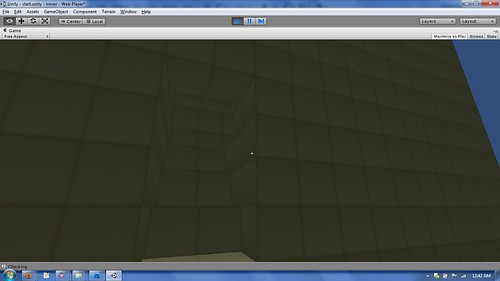
It doesn't look like much of anything, but I'm generating those meshes.  I've got the vertices and the uvs part of the Mesh object figured out, but not the triangles.

I'm already detecting what part of the square is exposed to air, so now I just have to selectively draw that part instead of the whole cube and I'll be good to go (after figuring out the triangles part too).  The entire inside will be totally hollow.

I'm very excited for this.

Tuesday, March 01, 2011

Some Simplex Noise

I've had family visiting for the last week, so I haven't gotten as much time as I'd like to program.  Since the last post I've been reading all about Perlin and Simplex noise and how to implement it.  I made the decision to stick with Simplex noise since it's apparently faster.  Luckily someone converted libnoise over to Unity's C#, so I've been using that.

When I first started, I was simply getting the y value for the (x,z) position and drawing a block there.  This was neat in that it generated a rolling hill kind of terrain, but I wanted more.

The next thing I did was foreach (x,y,z), I was getting the noise value from the Simplex algorithm.  If it was > 0, I would set that block to visible.  This generated some awesome caves to explore but it wasn't suitable as a terrain because there was always something over you.


As I played more and more and sped things up, I noticed my largest bottleneck being in the most predictable spot:  my draw function.  I was still doing the same old Instantiate() a cube dealie.  I tried several CombineMesh scripts and got my draw calls down from 60 to 4, but I feel like I can do better.  For a 16x16x16 chunk it still pauses for a second while it generates/draws.  One thing I'm considering is generating a huge chunk of the world and storing it somewhere.  When you need to generate a new chunk, all the game would have to do is pull the world data instead of generate it.  Generating the terrain is extremely fast so doing a huge chunk in the beginning isn't so bad.

On top of generating the world, I'm also doing a second pass to detect which cubes have sides visible to the player and which ones are surrounded.  If the cubes are surrounded, they're set to hidden so we don't draw them.  I also add the cubes that are visible to a List<> of their own.  Originally my draw function was going through every single (x,y,z) coord and checking if that cube needs to be drawn.  Now my draw function just goes through that list.  This has cut my loop iterations down considerably (more than half in a lot of cases).

Anyway, this is all probably newbie stuff, but I'm learning it as I go along.

My current tasking is generating my own mesh instead of instantiating a whole cube.  I want to do this so I only have to draw the side of the cube that's facing the air instead of the whole thing.

So until next time..

Sunday, February 20, 2011

Algorithms and Asteroids

I've been reading a lot about different terrain generation algorithms.  When it comes to creating realistic terrain, it's hard to beat the Perlin and Simplex Noise algorithms. The math is above my head, but the code isn't hard to follow.  http://lotsacode.wordpress.com/2010/02/24/perlin-noise-in-c/ has a good implementation and use case in C#.  I'm going to try and implement it in Unity and see if I can get it to work.

I've also looked at the diamond-square algorithm and it seems simple enough to apply.  I had a basic version of it in my Minecraft clone that I've posted about before, but it wasn't 100% right.

I've been playing a lot with an idea I had a couple of days ago.  The basic premise is that you spawn on an asteroid and you have to mine other asteroids around you for parts.  I haven't fully fleshed it out but I was able to create a basic version:  http://www.dangerz.net/dz/astro/  Use your arrow keys or WASD to move around.  Left click creates a block and right click deletes.  Hold down spacebar to jump.  The game is best played in fullscreen mode.


I think that could be a lot of fun if I kept working at it.  I'm currently working on saving/loading the sectors to disk.

I like how easy Unity makes it to create games like this.  I wish I had the $1500 to buy the professional version (which in my opinion is very fairly priced for all that it does) mainly so I can have realtime shadows and use of the Profiler.

 Anyway, back to programming.  My friend Ryan has also started a blog at http://projectumw.blogspot.com/.  Check him out if you get the chance.

Saturday, February 19, 2011

Take a step back..

The reason I haven't posted much this week is because I decided to take a step back.  While I had made a neat little toy to play around in, it wasn't optimized at all and I didn't even know where to begin.  I really needed to learn more before I continued production of anything, so I started reading about Perlin and Simplex noise.  As I was trying to implement them, I realized that I simply don't know enough about Unity yet.  I need to learn the best practices when it comes to drawing objects on the screen and how to better light the scene, so I stepped back even more.

So I've spent the week reading a lot.  I do have a screenshot I can share of before I stopped reading.  I got my world smoothed out and it'll generate new chunks as you move along.


Anyway, it's back to basics for a little bit

Monday, February 14, 2011

Happy Valentines Day :]

I spent the weekend with the wife, so I didn't go to do much work unfortunately.  I did get some crunch time in after work though.

I've been playing with the terrain generation algorithm a lot.  I've tried the diamond square algorithm and it was neat, but I don't know if I did it right.  I've also tried 2 algorithms that I came up with on my own and in the end, I settled with one that I made.  It's not the prettiest yet but here's what I have so far:


This is all done with 1 pass through the world.  I can also generate from any point -> any point.  I call the algorithm using generateWorld(fromX, fromZ, toX, toZ) and direction doesn't matter.  Next thing on my list is to smooth everything out.  This will probably be done with a 2nd pass.. at least I think so.  I don't know, it's going to take some thinking.

This is all I've worked on tonight.  One thing I haven't figured out yet is how I'm going to do all the Y blocks, but that'll come eventually.

Friday, February 11, 2011

Back and Forth

So today I went back and forth about how much I'm liking this development environment. 

On the one hand, it's nice being able to publish to so many different outputs with so little effort.  On the other hand, I'm not exactly sure how fast this engine is really going to run if I don't use their prefab'd terrain models.  With a game like this one, you have thousands upon thousands of cubes that are drawn.  In my little demo, I tried to get 1000 drawn and it had some issues.

I still have a lot to learn.  Today I learned how to play with the mouse and get keyboard input.  I removed the mouse cursor and added a little reticle on the screen.  You can click on a block to delete it and there's no detection of the type of block, so if you click on the base set of blocks you are going to fall into infinity due to the gravity.  I also created some basic skins to make identifying the blocks a little easier.

At first I tried creating my own First Person Camera, but I got frustrated and found out that they have a prefab that I can use.  After putting that in there and realizing how easy it was to use, I ended up sticking with it.  Now I just need to figure out how to make it so you can view more than 60 degrees on the Y Axis.


Anyway, that's it for tonight.  Probably won't do much over the weekend due to Valentines day but I'll be back on this on Sunday.

Wednesday, February 09, 2011

Day One

While I've been playing with Unity for a few days, tonight was the first night where I seriously sat down with it.

When I started going through the 2dGameplayTutorial several days ago, I figured it'd be a good way for me to learn the interface without jumping into everything.  The 3d tutorial seemed too in depth for a beginner to really understand.  After getting towards the middle, I started wondering more and more about when I'd be learning the scripting side.  I decided to stop doing the tutorial and find something that tells me how to program.

I did end up finding http://unity3d.com/support/documentation/ScriptReference/.  This let me get a basic "Hello World" app up and running.  I also learned the beginnings of my minecraft clone:  how to dynamically create boxes on the screen.  Nothing fancy but it's a start.

I also made the decision to go with JavaScript instead of C#.  While I like C# more, I figured it'd be easier to use with this engine.  We'll see how it pans out over time.

Tuesday, February 08, 2011

So it's been a while since my first post. I guess I've been busy?

I decided to start this blog to document my adventures in game design. Video games are something I grew up with. When I first got my Commie64 clone (I forget its name), I didn't have anything to save my projects to. Everytime I turned the machine on I would have to rewrite all the code from the previous day. It was all I had for "gaming", so I would do this on a regular basis. After a while, I started changing little things here and there just for fun. 20 years later and I now work as a Software Engineer for a major company.

As for video games, I got my first gaming system from my parents in 1990. I had a bad blood disease that required me to stay inside at all times, so they got me that to help pass the time. Between the NES and the computer (I had one of those IBM clones by now), I had a lot of games to toy around with. My favorite of all of them was a game called Robot Odyssey. That game taught me a lot about programming without me even knowing that I was learning something.

Since then, I've gotten most every major gaming console and spent countless hours shooting zombies, exploring virtual worlds, flying virtual skies and racing on virtual tracks. Several years ago my friend asked me to join him in his latest gaming project: Pwned.com. I've been working on that for several years now and it's allowed me to meet some great gamers. I continue to work on Pwned to this day. I've also done some indie game development but have focused primarily on the iPhone. I've released SpeedR, vipValet and Traffic Lights.

So back to one of the first lines of this post: I decided to start this blog to document my adventures in game design. I've going to start with toying around on Unity. I've been playing a great game called Minecraft lately (trust me, do not get this game. You will lose track of your life). The concept of the game seems pretty simple, so I've decided to write a Minecraft clone in Unity. I'm currently on the 2dGameplayTutorial so I have nothing to post just yet.. but this is a good kickoff.

So until next time,
Roy
~